How to Play?
Step 1: Upload Your Photo
Click the upload button and choose an image from your device (portrait, landscape, or any photo).
Step 2: Choose a Sketch Style
Select your preferred style such as pencil sketch, charcoal, or line art to define the final look.
Step 3: Customize (Optional)
Adjust intensity, details, or background options to refine your sketch effect.
Step 4: Generate Sketch
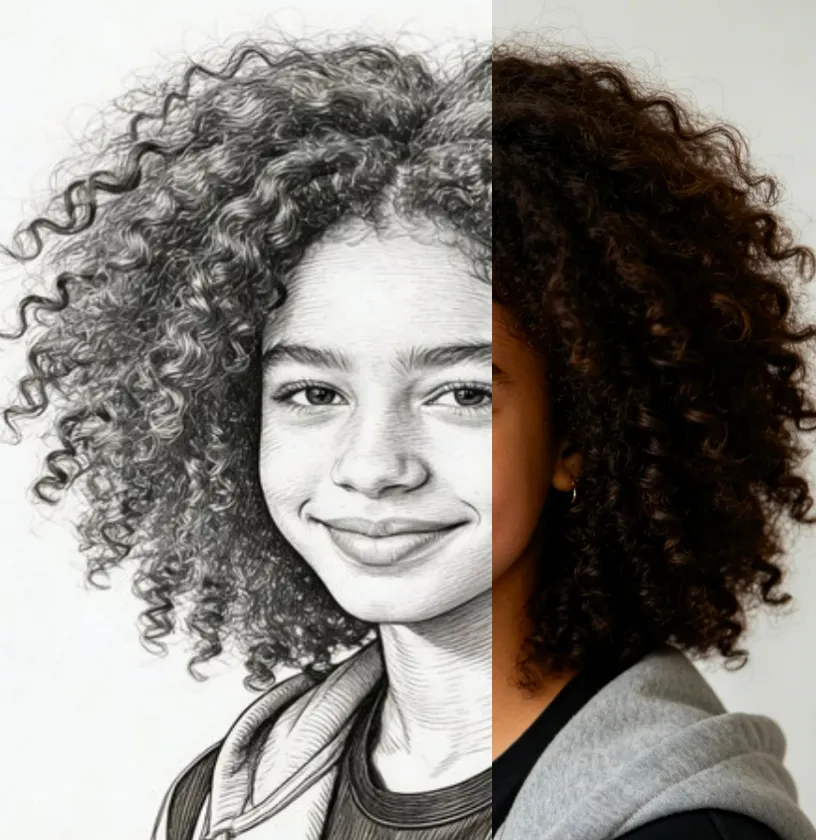
Click “Generate” and let the AI transform your photo into a realistic sketch within seconds.
Step 5: Preview & Download
Review the result, then download or share your sketch artwork instantly.
Frequently Asked Questions (FAQ) of Photo to Sketch
What is Vidoly.ai Photo To Sketch AI art generator?
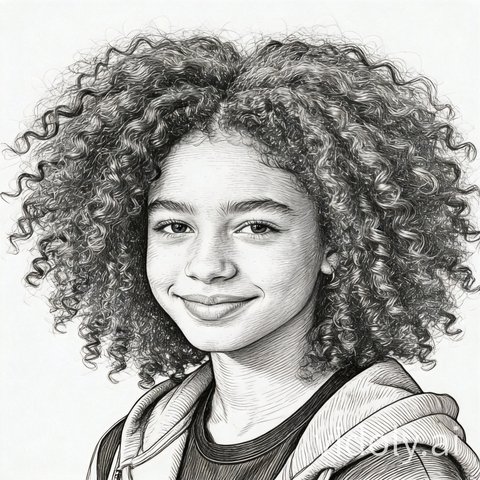
A photo to sketch AI art generator is a tool that transforms a regular photo into sketch-style
artwork. It can simulate pencil lines, shading, contours, and hand-drawn effects to make portraits, pets,
landscapes, and objects look like sketch illustrations.
How does Vidoly.ai Photo To Sketch AI art generator work?
It uses AI image processing to analyze the shapes, edges, lighting, and details in your original
photo, then recreates them in a sketch-inspired style. Depending on the result you want, the output can
look like a light line drawing, a charcoal sketch, or a more detailed pencil illustration.
What kinds of photos work best for sketch conversion?
Clear, well-lit photos usually produce the best sketch results. Images with strong contrast, visible
facial features, clean backgrounds, and sharp subject details are often easier for the AI to convert into
polished sketch-style artwork.
Can I turn portraits into pencil sketch art?
Yes. Portraits are one of the most popular uses for a photo to sketch AI art generator. You can
convert selfies, family photos, couple photos, or professional headshots into pencil-style portraits that
look artistic, elegant, and shareable.
Can this tool create different sketch styles?
Yes. A photo to sketch AI tool can often generate different visual moods, such as soft pencil
sketches, bold line drawings, charcoal effects, artistic shading, or more detailed illustration-style
results. The exact output depends on the original image and the style direction you choose.
Is Vidoly.ai Photo To Sketch AI art generator good for social media content?
Yes. Sketch-style images can make social media posts look more creative and distinctive. They are
useful for profile images, story posts, aesthetic content, art-themed campaigns, and before-and-after
image transformations.
Can I use Vidoly.ai Photo To Sketch AI generator for gifts or personal projects?
Absolutely. Many people use sketch-style AI images for personalized gifts, wall art, birthday
keepsakes, pet portraits, wedding memories, and custom digital artwork. Turning a meaningful photo into
sketch art can create a more memorable and artistic final result.
Will the sketch output keep the details of my original photo?
In most cases, the AI will preserve the main subject, composition, and important visual details
while changing the style into a sketch look. The final level of detail may vary depending on the source
image quality and how realistic or stylized you want the sketch to appear.
Do I need design skills to use Vidoly.ai Photo To Sketch AI art generator?
No. The tool is designed to make sketch-style art accessible to beginners as well as creators. You
typically just upload a photo, choose or describe the sketch effect you want, and let the AI generate the
transformed image for you.
Why use an Vidoly.ai Photo To Sketch generator instead of editing manually?
An AI generator is much faster and easier than creating sketch effects by hand in traditional design
software. It helps you get artistic results in less time, with less effort, while still giving you a
visually appealing sketch-style image for personal, creative, or promotional use.



.webp)
.webp)


.webp)
.webp)
.webp)
.webp)